How to build a gaming rig on a budget? This question isn’t just a plea for advice; it’s the gateway to creating your ultimate gaming experience without breaking the bank. Imagine diving into a world where you can easily play the latest games at high settings, all while keeping your wallet happy. Understanding the essential components, setting a realistic budget, and finding great deals will empower you to create a powerful gaming rig that meets your needs without compromising quality.
With the right knowledge and strategies, you can select budget-friendly alternatives, unearth fantastic discounts, and even learn the intricacies of assembling your rig step by step. Let’s explore how you can make the most of your resources and optimize your gaming setup like a pro!
Understanding the Components of a Gaming Rig
Building an effective gaming rig on a budget requires a keen understanding of the essential components that contribute to overall performance. Each part plays a crucial role in delivering a seamless gaming experience while ensuring that costs remain manageable. The choices you make not only affect performance but also your overall gaming experience, so let’s dive into the key components to consider.The primary components of a gaming rig include the CPU, GPU, RAM, motherboard, storage, and power supply.
Each component has its specific function and contributes to the system’s performance in different ways. By selecting budget-friendly alternatives, you can achieve impressive performance without breaking the bank.
Central Processing Unit (CPU)
The CPU is the brain of your gaming rig, executing instructions and managing tasks. A powerful CPU enhances game performance by ensuring smooth operation and reducing bottlenecks. When selecting a budget CPU, look for models that provide a balance of performance and price.
- AMD Ryzen 5 5600G: Offers great integrated graphics performance and multitasking capabilities at a lower cost compared to high-end CPUs.
- Intel Core i5-11400: Provides strong gaming performance without the expensive price tag of higher-tier models.
Both alternatives deliver excellent gaming capabilities while remaining friendly to your wallet.
Graphics Processing Unit (GPU)
The GPU is a critical component for gaming, responsible for rendering graphics and ensuring visually rich gameplay. However, high-end GPUs can stretch budgets. Consider these budget options:
- NVIDIA GeForce GTX 1660 Super: A solid performer for 1080p gaming at an affordable rate, making it an excellent choice for budget-conscious gamers.
- AMD Radeon RX 6500 XT: Offers competitive performance for entry-level gaming without the hefty price tag of premium GPUs.
These graphics cards provide substantial performance for various gaming genres while keeping costs low.
Random Access Memory (RAM)
RAM is essential for multitasking and ensuring smooth gameplay, especially in modern games that require significant memory resources.
- 16GB DDR4: This amount is becoming the standard for gaming, providing ample space for both gaming and background applications.
- 8GB DDR4: While it’s a budget option, consider this only for less demanding games to prevent performance issues.
Opting for a dual-channel configuration with 16GB is ideal for enhancing performance without overspending.
Motherboard
The motherboard connects all components, so selecting a cost-effective yet reliable board is essential. Look for motherboards with future-proofing capabilities.
- Gigabyte B550M DS3H: A budget-friendly option with support for PCIe 4.0, ensuring longevity as new technologies emerge.
- MSI B450M PRO-VDH MAX: An economical choice that supports current Ryzen CPUs and offers good performance without breaking the bank.
These motherboards provide a solid foundation for your gaming rig without compromising on features.
Storage Solutions
Adequate storage is crucial for loading games quickly and efficiently. Consider both SSDs and HDDs in your build.
- 500GB SATA SSD: Provides faster load times and overall better performance than traditional HDDs, making it a worthwhile investment.
- 1TB HDD: A budget-friendly option for storing larger game libraries without the higher price of SSDs.
Combining an SSD for your operating system and key games with an HDD for additional storage creates a balance of speed and capacity.
Power Supply Unit (PSU)
A reliable PSU is essential to ensure that all components receive sufficient power. Opt for a unit that delivers quality and efficiency.
- EVGA 600 W1: An affordable power supply with sufficient wattage for most budget builds and reputable reliability.
- Corsair CV450: A 450W power supply that offers excellent efficiency and reliability at a low cost.
Choosing a quality PSU is crucial to avoid issues in the long run and to maintain system stability.
Setting a Realistic Budget for Your Gaming Rig
Creating a gaming rig on a budget requires a keen understanding of your financial limits while ensuring that quality is not sacrificed. Establishing a realistic budget is vital for achieving a balanced performance without overspending. By evaluating your personal finances and setting clear priorities, you can build a powerful gaming setup that fits within your means.Assessing your personal financial limits involves taking a close look at your income, expenses, and the amount you can comfortably allocate towards gaming without compromising your essential needs.
It’s important to remember that your budget isn’t just about the initial cost; consider future upgrades and maintenance as well. The goal is to find a sweet spot where you can enjoy high-quality gaming experiences without the stress of financial strain.
Prioritizing Components Based on Gaming Needs
When setting your budget, it’s crucial to prioritize components that will deliver the best performance for your specific gaming preferences. Different games have varying requirements, so understanding what components matter most can help you allocate funds effectively. Here’s an overview of key components and their significance for different gaming styles:
Graphics Card (GPU)
This is often the most critical component for any gaming rig. For fast-paced shooters or graphically demanding RPGs, invest more here for smoother frame rates and better visuals.
Processor (CPU)
While less critical than the GPU for many games, a capable CPU is essential for overall system performance, especially in strategy or simulation games that require heavy calculations.
Memory (RAM)
16GB of RAM is generally the sweet spot for gaming, allowing for sufficient multitasking without lag, especially in online games.
Storage (SSD/HDD)
An SSD provides faster load times compared to an HDD. However, a combination of both can provide speed and ample storage at a lower cost.
Power Supply (PSU)
Don’t skimp on quality here. A reliable PSU is essential for system stability and longevity.To illustrate how to allocate your budget, here’s a sample budget plan tailored to various gaming configurations:
| Gaming Genre | Budget (USD) | Suggested Components |
|---|---|---|
| Casual/Mobile Games | $500 | Mid-range CPU, 8GB RAM, Integrated Graphics, 500GB HDD |
| eSports Titles | $800 | Mid-range CPU, 16GB RAM, GTX 1660, 1TB SSD |
| AAA Titles | $1200 | High-end CPU, 16GB RAM, RTX 3060, 1TB SSD + 2TB HDD |
| High-End Gaming | $1500+ | High-end CPU, 32GB RAM, RTX 3070 or higher, 2TB SSD |
Prioritizing these components based on your gaming style not only helps in managing your budget effectively but also ensures that you invest in performance areas that will enhance your gaming experience the most. As you craft your gaming rig, remember that quality components will yield the best long-term results.
Finding Deals and Discounts on Gaming Hardware
Building a gaming rig on a budget doesn’t have to mean sacrificing quality or performance. With the right strategies, you can uncover incredible deals on gaming components that make your dream setup a reality. By leveraging online resources and being savvy about where and how you shop, you can save substantial amounts of money while still getting top-tier parts for your rig.Navigating the world of gaming hardware discounts requires some research and a keen eye for the best deals.
From seasonal sales to special promotions, knowing when and where to look can significantly impact your overall spend. Here are some effective strategies for finding the best deals on the hardware you need.
Strategies for Locating Deals, How to build a gaming rig on a budget?
One of the most effective ways to find discounts on gaming hardware is by keeping an eye on various online and physical retailers. Here are some strategies to help you locate the best deals:
- Utilize Price Comparison Websites: Websites like PCPartPicker allow you to compare prices across multiple retailers, ensuring you get the best deal available.
- Sign Up for Newsletters: Many retailers offer exclusive discounts to subscribers. Signing up can give you early access to sales and promotions.
- Follow Social Media Accounts: Brands often announce flash sales and special discounts on their social media platforms. Stay connected to catch these offers.
- Check Daily Deal Websites: Sites such as Newegg and Amazon often have daily deals or lightning sales that can significantly decrease prices on gaming components.
Reputable Websites and Forums for Discounts
Certain websites and forums have earned a reputation for consistently offering great deals and discounts on gaming hardware. Here is a list of trusted platforms where you can find sales:
- Newegg: Frequently hosts sales events and has a dedicated section for refurbishments.
- Amazon: Known for competitive pricing and deals, especially during major sale events like Prime Day and Black Friday.
- Reddit: Subreddits like r/buildapcsales and r/GameDeals provide community-driven insights on the latest hardware discounts.
- Micro Center: Offers in-store and online deals that can be quite appealing, particularly for CPU and motherboard bundles.
Benefits and Risks of Used or Refurbished Components
Purchasing used or refurbished components can yield significant savings, but it’s essential to weigh the benefits against potential risks. Buying second-hand can allow you to upgrade your rig without breaking the bank, but it’s crucial to approach these purchases cautiously to ensure you’re making wise choices.
“Buying refurbished components can save you up to 30% compared to buying new, but always check for warranties and seller ratings.”
- Cost Savings: Used or refurbished parts can be considerably cheaper, allowing you to allocate more budget towards other components.
- Quality Assurance: Many refurbished items come with a warranty, providing peace of mind about the quality and performance of the hardware.
- Sustainability: Choosing refurbished components contributes to reducing electronic waste, promoting a more sustainable approach to gaming hardware.
However, there are risks associated with purchasing used components, such as diminished lifespan and the potential for undisclosed issues. To mitigate these risks, consider the following:
- Research the Seller: Purchase from reputable marketplaces or directly from manufacturers who offer refurbished components.
- Check Return Policies: Ensure that there is a return policy in place in case the component does not meet your expectations.
- Inspect Before Purchase: If buying in-store or locally, try to inspect the component in person to assess its condition.
Building Your Gaming Rig
Assembling your own gaming rig can be an exhilarating journey, allowing you to customize your setup to meet your gaming needs while staying within budget. This step-by-step process ensures you acquire the right skills to build a powerful rig without breaking the bank. Prepare your workspace, gather your components, and let’s dive into the assembly of your high-performance gaming machine.The assembly of a gaming rig requires careful organization and meticulous attention to detail.
Before you begin, ensure you have all your components at hand, including the motherboard, CPU, GPU, RAM, power supply, and storage. A clean, static-free environment is essential to avoid any damage to electronic components. Start by laying out all the tools and components you will need, such as a screwdriver, zip ties, and anti-static wrist strap, to maintain safety during the build.
Find out further about the benefits of How to manage risk in cryptocurrency trading effectively that can provide significant benefits.
Preparation and Component Installation
The first step in assembling your gaming rig involves preparing the motherboard for installation. Proper handling of the motherboard is crucial, as it is the backbone of your build. Follow these steps to ensure a smooth assembly:
1. Install the CPU
Align the CPU with the motherboard socket, ensuring the notches match. Gently place the CPU into the socket, securing it with the retention lever.
2. Apply Thermal Paste
Use a small amount of thermal paste on the CPU. Spread it evenly or use a pre-applied thermal pad on your cooler.
3. Attach the CPU Cooler
Secure the cooler over the CPU, following the manufacturer’s instructions, and connect the fan to the appropriate header on the motherboard.
4. Insert RAM Modules
Identify the correct RAM slots on the motherboard, usually highlighted in a particular color. Firmly insert the RAM sticks until the clips click into place.Ensure that you handle all components with care, avoiding any damage or static discharge. Keeping your workspace organized will help in efficiently managing the assembly process.
Connecting Components and Powering On
Once the motherboard is ready, it’s time to connect additional components and power up your rig. This stage is vital for ensuring that everything is correctly installed. Follow these steps:
1. Install the Power Supply
Place the power supply into the case, securing it with screws. Ensure the fan is oriented to allow airflow.
2. Connect the Motherboard Power
Attach the 24-pin power cable and the CPU power cable to the motherboard.
3. Install the Graphics Card
Insert the graphics card into the PCIe slot on the motherboard and secure it with screws. Connect any necessary power cables from the power supply.
4. Add Storage Devices
Mount your HDD or SSD into the case and connect the SATA cables to the motherboard and power supply.Once all components are connected, double-check all connections and ensure everything is secure. This meticulous attention to detail is crucial for the functionality of your gaming rig.
Troubleshooting Common Assembly Issues
During the assembly process, you may encounter several common issues. Knowing how to troubleshoot these problems can save you time and frustration. Here are some troubleshooting tips:
No Power On Startup
Check all power connections, including the 24-pin and CPU power cables. Ensure the power supply is switched on and the outlet is functional.
No Display Signal
Reseat the graphics card and RAM, ensuring they are properly connected. Verify that the monitor is connected and set to the correct input.
Overheating Issues
Ensure that the CPU cooler is installed correctly and that thermal paste is applied properly. Check that all fans are functioning.
“An organized build leads to a successful gaming rig that performs without a hitch.”
Addressing these common problems with patience and care will help you achieve a successful build. Remember, every issue has a solution if you approach it systematically. Enjoy the process of creating your personalized gaming rig and revel in the high-quality gaming experience that awaits you.
Optimizing Performance on a Budget
Building a gaming rig on a budget doesn’t mean you have to compromise on performance. With a few strategic adjustments and the right software tools, you can significantly enhance your gaming experience without spending extra money. Here, we’ll explore effective methods to maximize the performance of your budget gaming rig through software optimizations and safe overclocking techniques.
Software Tools for Performance Enhancement
Utilizing the right software tools can lead to noticeable performance improvements in gaming without additional costs. These tools help manage system resources and optimize settings to ensure smooth gameplay.
- Game Mode and GPU Settings: Windows 10 and 11 come with a built-in Game Mode feature that prioritizes CPU and GPU resources for gaming. Ensure this is enabled for optimal performance. Additionally, adjust your graphics card settings through its control panel to favor performance over quality.
- System Cleanup Tools: Use disk cleanup and defragmentation tools to remove unnecessary files and optimize your hard drive’s performance. Applications like CCleaner can help manage startup processes and free up system resources.
- Performance Monitoring Software: Tools such as MSI Afterburner or HWMonitor are crucial for real-time monitoring of CPU and GPU usage, temperatures, and fan speeds. This data helps in making informed decisions regarding performance tweaks and overclocking.
Adjusting Settings for Enhanced Gaming
Fine-tuning in-game settings can lead to a significant boost in performance. Lowering graphical settings can free up resources for smoother gameplay.
- Resolution and Graphics Quality: Lowering the resolution and adjusting graphics quality settings can drastically improve FPS (frames per second). Experiment with settings such as shadows, textures, and anti-aliasing for the best results.
- V-Sync and Frame Rate Limit: Turning off V-Sync can reduce input lag and potentially increase FPS. Additionally, setting a frame rate limit to match your monitor’s refresh rate can stabilize the gaming experience.
Safe Overclocking Techniques
Overclocking can elevate the performance of your CPU and GPU, but it must be done cautiously to avoid damaging components. Safe overclocking involves gradual adjustments and diligent monitoring.
- Incremental Overclocking: Incrementally increase clock speeds and voltage levels while testing for stability using benchmarks like Prime95 for CPUs or 3DMark for GPUs. Making small adjustments allows you to find the optimal balance without risking overheating.
- Thermal Management: Ensure proper cooling solutions are in place. High-performance fans or heatsinks can mitigate increased temperatures caused by overclocking. Keeping an eye on thermal outputs with monitoring software can prevent damage to your components.
- Stress Testing: After making adjustments, perform stress tests to ensure stability. If your system crashes or exhibits errors, revert the changes and reassess to avoid long-term issues.
“A few well-placed tweaks can transform your gaming experience without breaking the bank.”
Do not overlook explore the latest data about Bianca Censori Holding ‘Powerful Card’ Against Kanye West in Marriage — Source.
Upgrading Your Gaming Rig Over Time
Building a budget gaming rig is an exciting venture, but it’s crucial to consider the pathway for future upgrades. As technology advances, the demands on gaming machines evolve, and planning for these upgrades can extend the longevity of your investment while enhancing your gaming experience.When constructing a budget rig, it’s essential to identify components that allow for cost-effective upgrades in the future.
Prioritizing these upgrades can maximize performance without breaking the bank, providing a clear strategy to keep your rig competitive as new games and technologies emerge.
Components to Upgrade First
Certain components in a gaming rig are easier and more economical to upgrade than others. Understanding which parts can deliver the most noticeable improvements can help you maximize your gaming experience over time. The following components are typically recommended for initial upgrades:
- Graphics Card (GPU): Often the most significant upgrade for gaming, a powerful GPU can dramatically enhance graphical fidelity and frame rates. Investing in a mid-range GPU initially can allow for future upgrades when more advanced models become affordable.
- RAM: Increasing your RAM from 8GB to 16GB or 32GB can improve multitasking and overall system performance, especially in memory-intensive games. This upgrade is relatively inexpensive and easy to implement.
- Storage Solutions: Transitioning from a traditional hard drive (HDD) to a solid-state drive (SSD) can significantly reduce load times and improve system responsiveness. Adding an SSD as your primary drive can make a notable difference in gameplay experience.
Upgrading these components first can lead to substantial performance enhancements without a complete overhaul of your system.
Upgrade Timeline Based on Technology Advancements
Recognizing when to upgrade your gaming rig is vital for maintaining optimal performance. The gaming industry is marked by rapidly evolving technology, and certain milestones can guide your upgrade strategy.Consider the following timeline for when to evaluate potential upgrades:
- Every 2-3 Years: Major advancements in graphics technology often occur in this timeframe, making it a good interval to assess your GPU and adapt to newer generations of graphics cards.
- Annual Reviews: Keeping an eye on RAM and storage can lead to timely upgrades. If you notice performance lag during new game releases, it might be time to increase your RAM or switch to an SSD.
- Market Releases: Pay attention to the release cycles of major hardware manufacturers. When a new line of GPUs or CPUs is launched, the previous generation often sees price reductions, making it a prime opportunity for upgrades.
Staying informed about these trends ensures your gaming rig remains relevant and capable of handling the latest titles, providing a smooth and enjoyable gaming experience.
“Planning for upgrades not only saves you money in the long run but also ensures your gaming rig remains capable of tackling new challenges as they arise.”
Check How to diversify your cryptocurrency investment portfolio to inspect complete evaluations and testimonials from users.
The Importance of Cooling Solutions in Budget Builds
In the world of gaming, maintaining optimal temperatures is crucial for performance, especially when building a budget rig. Effective cooling solutions not only prolong the lifespan of components but also enhance gaming experiences by preventing thermal throttling. As gamers look to balance cost and performance, understanding the various cooling methods available is essential.When it comes to cooling methods, two primary types emerge: air cooling and liquid cooling.
Both methods have their pros and cons, particularly when considering budget constraints.
Air Cooling Versus Liquid Cooling
Air cooling is typically the more affordable option, relying on heatsinks and fans to dissipate heat from critical components. In contrast, liquid cooling systems utilize a closed-loop system of tubes, radiators, and pumps to circulate coolant and remove heat. Here’s a comparison of both methods in terms of cost and performance:
- Air Cooling
- Cost-effective: Quality air coolers can be found for as low as $20.
- Easy installation: Generally straightforward, requiring no special skills.
- Reliable performance: Adequate for most gaming setups, keeping temperatures in check under normal loads.
- Liquid Cooling
- Higher initial investment: Good entry-level liquid coolers start around $50 and can exceed $100 for premium models.
- Better heat dissipation: More efficient at cooling high-performance CPUs or GPUs during intense gaming sessions.
- Space-saving design: Often allows for better airflow within the case by relocating larger components outside.
Both methods are effective, but air cooling remains the go-to for budget builds due to its affordability and ease of use.
Affordable Cooling Solutions for Different Gaming Rigs
For budget-conscious gamers, selecting the right cooling solution can significantly impact overall performance. Here are some recommended affordable cooling solutions:
- Cooler Master Hyper 212 EVO: Priced around $35, this air cooler is known for its balance of performance and noise levels, making it a popular choice among gamers.
- be quiet! Pure Rock 2: An excellent silent alternative, available for approximately $40, it offers good thermal performance while keeping noise to a minimum.
- Thermaltake Water 3.0 120mm AIO: At about $60, this all-in-one liquid cooler provides efficient cooling for more demanding builds without breaking the bank.
- Noctua NH-U12S Redux: Costing around $50, it features a slim design, making it suitable for cases with limited space while ensuring effective cooling.
The right cooling solution not only enhances the performance of your gaming rig but also provides peace of mind, knowing that your components are well protected from heat-related issues. With these affordable options, gamers can enjoy a cooler, quieter, and more efficient gaming experience without overspending.
Community Resources and Support for Budget Builders
Building a gaming rig on a budget can be a daunting task, but the support of an active community can make all the difference. Online forums and communities provide a wealth of knowledge, shared experiences, and invaluable advice that can help steer budget builders toward successful builds. Connecting with others who share your passion not only fosters a sense of belonging but also opens up a treasure trove of insights that can enhance your building experience.The importance of learning from others who have successfully built gaming rigs on a budget cannot be overstated.
By tapping into a collective pool of experiences, you can avoid common pitfalls and gain tips that are often not found in conventional guides. Engaging with these communities allows you to ask specific questions, while also benefiting from the answered queries of fellow builders.
Popular Online Communities and Forums
Joining online communities is crucial for budget builders looking for advice, inspiration, and support. These platforms are packed with knowledgeable individuals who have been through the same journey. Consider the following popular forums and communities:
- Reddit – r/buildapc: A vibrant community where users share their builds, seek advice, and discuss budget-friendly components.
- Tom’s Hardware: A well-established forum that offers discussions on various hardware, including budget builds, along with reviews and comparisons.
- PCPartPicker: Not only can you find compatibility information, but you can also engage with the community to get insights on budgeting your build.
- Overclock.net: A dedicated forum where enthusiasts discuss everything from budget builds to high-end setups, offering a wealth of shared knowledge.
Connecting with these communities can provide essential insights into which components offer the best performance for their price.
Engaging with fellow builders can lead to discovering hidden gems in the hardware market, often resulting in significant savings.
Leveraging Community Feedback for Informed Decisions
When navigating the intricate world of PC components, community feedback is a fantastic resource for making informed purchasing decisions. Here’s how you can effectively leverage this feedback:
- Read Reviews: Before making a purchase, check community reviews on specific components. Look for discussions about performance, reliability, and user experiences.
- Ask for Recommendations: Don’t hesitate to ask community members for their recommendations on budget parts. Often, they can direct you to the best value options.
- Share Your Build: Posting your intended build in forums allows members to provide constructive feedback, helping you avoid costly mistakes.
- Keep Up with Trends: Communities often discuss upcoming sales, price drops, and new budget-friendly releases, so staying active can save you money.
By utilizing these strategies, you can enhance your building process significantly. The collective wisdom of these communities can guide you toward making choices that align with your budget and performance needs, ultimately leading to a successful gaming rig creation.
Final Wrap-Up: How To Build A Gaming Rig On A Budget?
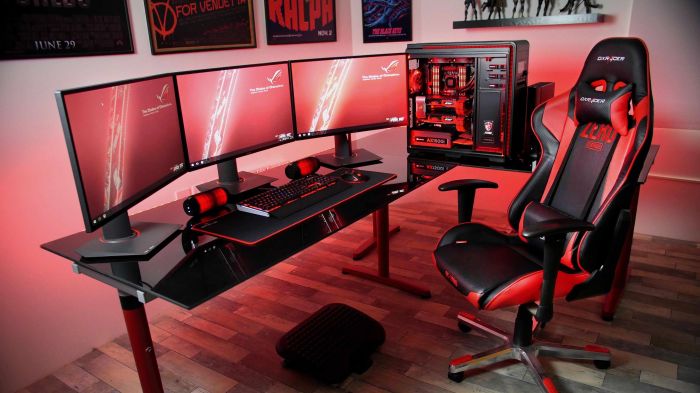
Building a gaming rig on a budget is not just about saving money; it’s about maximizing value and performance in a world of gaming possibilities. As you embark on this exciting journey, remember that each component plays a vital role, and upgrading over time is part of the adventure. With a supportive community and the right tools at your disposal, achieving your dream gaming setup is within reach.
So gear up and start building—your ultimate gaming experience awaits!