How to optimize gaming hardware for virtual reality? In the thrilling world of virtual reality gaming, every frame matters. Elevate your VR experience by ensuring your gaming hardware is finely tuned for ultimate immersion. With the right enhancements, you can fully engage in lifelike environments and enjoy seamless gameplay that transports you beyond the ordinary.
Understanding the significance of optimizing your hardware can make a remarkable difference in VR experiences. From powerful CPUs and GPUs to adequate cooling systems, every component plays a crucial role in achieving the performance needed for breathtaking virtual adventures. Let’s dive into how to elevate your gaming rig to ensure it meets the demands of next-gen VR.
Understanding the Importance of Hardware Optimization for Virtual Reality Gaming
In the immersive realm of virtual reality (VR) gaming, the significance of optimizing hardware cannot be overstated. As players step into fantastical worlds, the experience hinges on the seamless interaction between the user and the virtual environment, necessitating powerful hardware that can keep up with the demands of real-time rendering and high fidelity graphics. Without proper optimization, the pleasurable escapade can quickly turn into a frustrating journey marred by lag, glitches, and disconnects from the VR experience.The performance of gaming hardware directly correlates with the level of immersion and user experience in VR.
High frame rates, low latency, and superior graphical fidelity are paramount to creating a believable and engaging experience. If hardware fails to deliver these essentials, users may encounter issues such as motion sickness, disorientation, or an overall lack of engagement. A subpar experience can detract from the enjoyment and effectiveness of VR, ultimately leading to dissatisfaction with the technology itself.
Hardware Limitations in Virtual Reality
Understanding the limitations inherent in gaming hardware is crucial for gamers seeking to optimize their VR experiences. Below are some common hardware constraints that can significantly affect gameplay performance:
- Graphics Card Performance: The GPU is the heart of VR gaming. If the graphics card struggles to maintain a high frame rate, users may experience stuttering or tearing, which can break immersion.
- Processor Speed: A powerful CPU is essential for handling complex computations and ensuring that the VR environment reacts in real-time to player inputs. Bottlenecks in processing speed can slow down interactions dramatically.
- Memory Bandwidth: Insufficient RAM can lead to lag and slow load times. VR environments often require more memory than traditional gaming, as they need to load detailed textures and complex models simultaneously.
- Display Resolution: Lower resolution displays can lead to a pixelated experience, diminishing the realism and drawing players out of the immersive environment.
Recognizing these limitations empowers gamers to make informed decisions about their hardware upgrades and configurations. By addressing these key areas, players can significantly enhance their overall VR experience, ensuring that each encounter within the virtual space is as captivating and engaging as intended.
“The essence of virtual reality is the smooth interaction between the player and the digital environment; hardware optimization is the key to achieving this harmony.”
Identifying Key Hardware Components for VR Gaming
To truly immerse yourself in the world of virtual reality gaming, it’s essential to have the right hardware components that not only meet but exceed the demanding specifications of VR applications. This section will guide you through the critical elements that make up an optimal VR gaming setup.When it comes to VR gaming, the primary components to consider are the CPU, GPU, and RAM.
These hardware elements work in unison to deliver the high-quality graphics and seamless performance required for an immersive experience. The CPU acts as the brain of your gaming rig, handling calculations and processing tasks, while the GPU is responsible for rendering stunning visuals in real-time. Sufficient RAM allows your system to multitask efficiently, particularly when running heavy VR applications.
Essential Hardware Specifications for VR Gaming
When selecting hardware for your VR setup, here are the vital specifications to consider:
- CPU: Opt for at least a quad-core processor, such as the Intel Core i5-12600K or AMD Ryzen 5 5600X. These CPUs provide the speed and efficiency necessary for VR processing.
- GPU: A powerful GPU is essential for rendering high-quality graphics. Consider models like the NVIDIA GeForce RTX 3070 or AMD Radeon RX 6800, which are designed to handle the complex rendering demands of VR.
- RAM: At a minimum, your VR system should have 16GB of RAM. For an even smoother experience, 32GB of RAM is recommended to accommodate multitasking during gaming.
Understanding the performance of different brands and models can significantly influence your choice. Here’s a brief comparison of some of the top contenders in the market based on VR performance:
| Brand | Model | VR Performance Rating | Price Range |
|---|---|---|---|
| NVIDIA | GeForce RTX 3080 | Excellent | $699 – $799 |
| AMD | Radeon RX 6700 XT | Very Good | $479 – $579 |
| Intel | Arc A770 | Good | $329 – $399 |
Peripheral Devices for Enhanced VR Experience
In addition to core components, peripheral devices play a crucial role in elevating your VR gaming experience. These include VR headsets, motion controllers, and tracking systems that allow for interactive gameplay.VR headsets such as the Oculus Quest 2 and the Valve Index offer enhanced visual fidelity and comfort. The Oculus Quest 2 stands out for its all-in-one capabilities, while the Valve Index is known for its superior tracking and field of view.Motion controllers, like the Oculus Touch and the HTC Vive Controllers, provide intuitive hand tracking and enhance interaction within the virtual environment.
Meanwhile, tracking systems such as the external base stations used with the HTC Vive ensure precise movement tracking, allowing for a more immersive experience.
“Investing in high-quality VR peripherals can dramatically transform your gaming experience, providing you with lifelike interactions and enhanced gameplay.”
By focusing on the right hardware and peripherals, you can ensure that your VR gaming experience is not only enjoyable but also showcases the full capabilities of virtual reality technology.
Customizing Graphics Settings for Enhanced VR Performance
Achieving immersive and smooth virtual reality (VR) gameplay depends significantly on how well you optimize your gaming hardware and customize your graphics settings. Understanding the balance between graphical fidelity and performance can elevate your VR experience from mediocre to truly breathtaking. In this segment, we will delve into the various graphics settings that can be tweaked in VR games, the impact of these adjustments on performance, and provide you with a checklist of recommended settings for some of the most popular VR titles available today.
Adjustable Graphics Settings in VR Games, How to optimize gaming hardware for virtual reality?
Several graphics settings can be customized to enhance VR performance. The following settings play a crucial role in determining how your hardware performs under VR load:
- Resolution: The higher the resolution, the sharper the image; however, this demands more from your GPU. Lowering the resolution slightly can improve frame rates without sacrificing too much detail.
- Anti-Aliasing: This setting smooths out jagged edges, but can be resource-intensive. Consider using lower levels or alternative methods such as FXAA to maintain performance.
- Texture Quality: High-resolution textures can add to the realism in games. Striking a balance by adjusting this setting can help maintain a smoother frame rate.
- Shadow Quality: While realistic shadows enhance immersion, they can significantly decrease performance. Opting for lower shadow settings can free up resources.
- Field of View (FOV): A wider FOV can enhance the immersive feel of VR but may impact performance. Adjusting this can lead to a better experience without the heavy graphical load.
- Post-Processing Effects: Effects like bloom or motion blur can make visuals pop but may also hinder performance. Adjusting or disabling these effects can lead to smoother gameplay.
Balancing Graphical Fidelity and Frame Rates
Finding the right equilibrium between stunning visuals and fluid gameplay is essential for an optimal VR experience. Here are effective methods to balance graphical fidelity and frame rates:
- Dynamic Resolution Scaling: This technique automatically adjusts the resolution based on performance, ensuring that the frame rate remains stable without compromising too much on visual quality.
- V-Sync vs. G-Sync: Enabling G-Sync or FreeSync can help eliminate screen tearing and stuttering, providing a smoother experience without the frame drops associated with V-Sync.
- Frame Rate Caps: Setting a frame rate cap that matches your hardware capabilities can prevent over-exertion of your GPU and ensure a steady experience.
- Performance Monitoring Tools: Use tools like MSI Afterburner or in-game performance overlays to monitor your frame rates and adjust settings on-the-fly as necessary.
Recommended Settings for Popular VR Titles
To maximize performance, below is a checklist of recommended graphics settings for some of the most popular VR games, ensuring a balance between visual quality and playability.
Before diving into the VR world, consider adjusting the following settings:
| Game Title | Optimal Resolution | Texture Quality | Shadow Quality | Anti-Aliasing | Post-Processing Effects |
|---|---|---|---|---|---|
| Half-Life: Alyx | Medium (1920×1080) | High | Medium | FXAA | Medium |
| Beat Saber | High (2160×1200) | Medium | Low | Off | Off |
| Boneworks | Medium (1920×1080) | High | Medium | Off | Medium |
| The Walking Dead: Saints & Sinners | Medium (1920×1080) | Medium | Low | Off | Medium |
| Elite Dangerous | High (2160×1200) | High | Medium | TAA | Medium |
By customizing your graphics settings, you can create a tailored VR experience that not only looks great but also feels incredibly smooth, ensuring every moment in your virtual world is as immersive as possible.
Check what professionals state about What to know about cryptocurrency trading fees and its benefits for the industry.
Improving Cooling and Power Supply for Sustained Performance
As gamers dive into the immersive worlds of virtual reality, the demand on gaming hardware intensifies. Effective cooling solutions and a robust power supply are crucial for maintaining optimal performance during lengthy gaming sessions. Without adequate cooling, even the most powerful graphics cards and processors can throttle, leading to a less than enjoyable VR experience. Understanding how to enhance your system’s cooling and power capabilities is essential for any serious gamer aiming to unlock the full potential of their VR setup.
Importance of Effective Cooling Solutions
Overheating is a common issue during intensive gaming, especially in VR, where systems are pushed to their limits. Effective cooling solutions prevent hardware from reaching critical temperatures, ensuring sustained performance and longevity. Here are key components and methods to consider for improved cooling:
- Air Cooling Systems: Utilize high-quality air coolers with multiple heat pipes and larger heatsinks to efficiently dissipate heat from CPUs and GPUs.
- Liquid Cooling Solutions: For enthusiasts, liquid cooling provides superior thermal management. Custom loops or all-in-one (AIO) systems can significantly lower temperatures compared to traditional cooling methods.
- Case Fans: Invest in premium case fans that offer high airflow and low noise. The strategic placement of fans creates a positive airflow balance, promoting efficient cooling.
- Thermal Paste: Regularly reapplying high-quality thermal paste on your CPU and GPU can enhance heat transfer, reducing temperatures and improving performance.
Optimal Power Supply Specifications
High-performance gaming hardware, particularly in VR, requires a reliable and robust power supply unit (PSU). Selecting a PSU with the right specifications ensures stability and efficiency. Consider the following factors for optimal PSU performance:
- Wattage: Choose a PSU that exceeds the wattage requirements of your hardware by at least 20-30%. This buffer accommodates any power spikes and ensures longevity.
- Efficiency Rating: Look for PSUs with an 80 PLUS certification; these units offer higher efficiency, resulting in less heat generation and lower electricity bills.
- Modular Design: Modular or semi-modular PSUs allow you to use only the cables you need, improving airflow within the case and simplifying cable management.
- Rail Stability: A PSU with multiple 12V rails can distribute power more evenly across components, providing stable and reliable performance during demanding sessions.
Maintaining Proper Airflow
Proper airflow is essential for keeping gaming rigs cool and extending their lifespan. Here are practical tips for ensuring optimal airflow throughout your system:
- Case Configuration: Use a case designed for airflow, with mesh panels and ample space for fans. This design facilitates better heat dissipation.
- Fan Orientation: Install fans to create a consistent airflow path—usually front-to-back and bottom-to-top. This configuration ensures cooler air enters and hot air exits efficiently.
- Cable Management: Tidy up cables with zip ties or Velcro straps to minimize obstruction in airflow, promoting better cooling.
- Regular Maintenance: Periodically clean dust from fans, filters, and heatsinks. Dust buildup can significantly impede airflow and cooling efficiency.
Understanding and Utilizing Software Solutions for VR Optimization: How To Optimize Gaming Hardware For Virtual Reality?
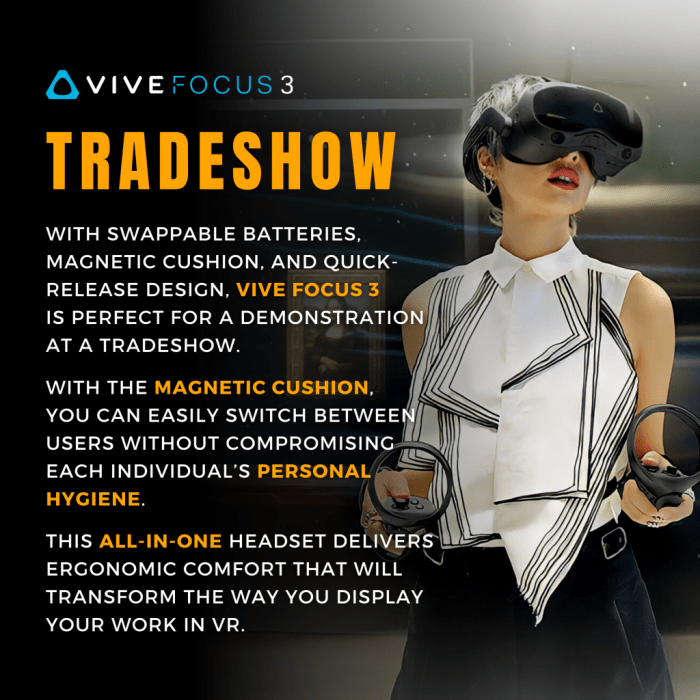
In the rapidly evolving world of virtual reality (VR) gaming, optimizing your hardware for maximum performance is crucial. Software solutions play a vital role in enhancing the gaming experience by ensuring that your hardware operates at its peak efficiency. By leveraging various software tools, gamers can achieve smoother graphics, reduced latency, and improved overall performance in VR environments. Here, we will explore the essential software solutions available for VR optimization, how to configure system settings, and the impact of firmware updates on hardware performance.
Software Tools for Optimizing VR Performance
A variety of software tools are available to help gamers optimize their VR hardware. These tools not only enhance performance but also provide insights into system health and resource usage. Key software tools include:
- GPU Management Software: Tools like NVIDIA GeForce Experience and AMD Radeon Software allow you to tweak graphics settings for optimal performance. These applications provide options for automatic game optimization based on your hardware configuration.
- Performance Monitoring Software: Programs such as MSI Afterburner and HWMonitor enable you to track CPU and GPU temperatures, usage, and clock speeds during gameplay. This data is essential for identifying bottlenecks and ensuring your hardware stays within safe operating limits.
- VR-Specific Optimization Tools: Applications like Oculus Tray Tool and SteamVR offer features tailored for VR performance tuning, such as adjusting supersampling and enabling or disabling various VR settings.
To maximize the potential of these tools, it’s essential to familiarize yourself with their features and options. Adjusting settings such as texture quality, anti-aliasing, and resolution can significantly impact performance and visual fidelity.
Configuring System Settings and Monitoring Hardware
Properly configuring system settings is vital for achieving optimal VR performance. This involves adjusting both game and system settings to align with the capabilities of your hardware. Start by accessing your graphics control panel to set preferred settings for VR applications. Here’s a brief overview of key configuration steps:
- Resolution and Refresh Rate: Ensure your VR headset is set to the correct resolution and refresh rate in both the game and graphics control panel for the best experience.
- Graphics Quality: Adjust the in-game graphics settings to find a balance between performance and visual quality. Lowering certain settings can lead to smoother gameplay without a significant loss in visual fidelity.
- Frame Rate Limiting: Setting a frame rate cap can prevent unnecessary strain on your hardware and enhance stability during gameplay.
Using performance monitoring software during gameplay allows you to keep an eye on metrics such as frame rates, resource usage, and thermal performance. Analyzing these statistics helps identify areas where adjustments may be necessary.
The Role of Firmware Updates in VR Performance
Firmware updates are critical in maintaining and enhancing the performance of your VR hardware. Manufacturers frequently release updates to improve stability, compatibility, and performance. Here are the key benefits of keeping your firmware up to date:
- Enhanced Compatibility: Updates often include support for new games and technologies, ensuring your VR system can leverage the latest advancements in gaming.
- Performance Improvements: Firmware updates can optimize resource management, leading to better performance and smoother gameplay.
- Bug Fixes: Regular updates help address known issues, reducing crashes and improving the overall reliability of your VR system.
Remember to check for updates regularly on the manufacturer’s website or through the application associated with your hardware. Keeping your firmware current is a simple yet effective way to ensure your VR experience remains top-notch.
“Optimizing your VR hardware isn’t just about powerful components; it’s also about leveraging the right software tools for peak performance.”
Upgrading Your Gaming Hardware for Next-Gen VR Experiences
As virtual reality technology continues to evolve, ensuring your gaming hardware is up to the task is essential for an immersive experience. This section will guide you through recognizing when it’s time to upgrade your components and how these enhancements can significantly boost your VR performance. Upgrading not only improves compatibility with the latest VR titles but also enhances graphical fidelity, frame rates, and overall performance, paving the way for a seamless virtual adventure.
Signs Indicating the Need for Hardware Upgrades
Identifying the right moment for upgrades can influence your gaming experience dramatically. Here are key indicators that suggest it might be time to enhance your system:
- Frequent Lagging or Stuttering: Experiencing frame drops or lag during gameplay can indicate that your current GPU or CPU may not be sufficient for next-gen VR.
- Incompatibility with New Titles: If new VR games are not launching or running poorly on your system, an upgrade may be warranted.
- Outdated Hardware: Hardware that is over three years old is likely falling behind the performance demands of modern VR technology.
- Lack of VR-Specific Features: If your current setup lacks support for features like ray tracing, or high refresh rates, an upgrade can enhance your VR experience significantly.
Benefits of Upgrading GPUs and CPUs for VR Compatibility
Upgrading specific components such as your GPU (Graphics Processing Unit) and CPU (Central Processing Unit) can yield remarkable improvements in VR experiences. Here’s how:
- Enhanced Visual Fidelity: A new GPU can render higher resolutions and better textures, resulting in a more realistic and immersive environment.
- Smoother Frame Rates: A powerful CPU is vital for maintaining high frame rates, which is crucial for reducing motion sickness in VR.
- Future-Proofing Your Setup: Investing in next-gen hardware ensures your system can handle upcoming VR titles and technologies without frequent upgrades.
- Improved Processing Speed: Modern CPUs can handle more simultaneous processes, enhancing overall system responsiveness and reducing lag.
Guide to Installing and Configuring New Hardware
Installing and configuring new hardware can seem daunting, but with the right approach, it can be a smooth process. Here’s a straightforward guide to help you through:
- Research Compatibility: Before purchasing a new GPU or CPU, ensure it is compatible with your motherboard and meets VR requirements. Check specifications and reviews to make informed choices.
- Prepare Your Workspace: Clear your workspace, and gather necessary tools such as screwdrivers, anti-static wrist straps, and cable ties.
- Remove Old Hardware: Power down your system, unplug all cables, and carefully disassemble your casing. Take out the old GPU or CPU following proper procedures to avoid damage.
- Install New Components: Insert the new GPU into the PCIe slot securely and attach any necessary power connectors. For a CPU, align it correctly in the socket and secure it with the locking mechanism.
- Reconnect and Power Up: Reassemble your system, reconnect all cables, and power it on. Ensure all fans are operational and that there are no unusual noises.
- Install Drivers: Download the latest drivers from the manufacturer’s website to maximize the performance of your new hardware.
- Configure VR Settings: Launch your VR software and adjust the graphics settings to optimize performance based on your new hardware capabilities.
Upgrading your gaming hardware is not just about keeping up with trends; it’s about enhancing your virtual reality journey to explore new worlds with unprecedented detail and responsiveness.
Expand your understanding about Understanding the impact of news on cryptocurrency prices with the sources we offer.
Exploring the Role of Network Connections in Online VR Gaming
In the ever-evolving realm of virtual reality (VR), the importance of a robust and stable internet connection cannot be overstated. For multiplayer experiences, where latency and lag can significantly detract from immersion and gameplay, a reliable network becomes the backbone of a seamless VR interaction. As gamers increasingly dive into expansive virtual worlds alongside others, understanding and optimizing network connections is essential for an unparalleled experience.A stable internet connection enhances the multiplayer VR experience by ensuring smooth communication between players and the game servers.
This is particularly crucial in high-paced, action-packed virtual environments where even a split-second delay can impact gameplay. To support a lag-free online VR gaming environment, it’s important to consider specific internet specifications and technologies that can uphold the demands of VR gaming.
Best Internet Specifications for VR Gaming
To create an optimal online VR gaming experience, certain internet specifications should be prioritized. Here are key elements that contribute to effective online gaming performance:
- Bandwidth: A minimum of 25 Mbps download and 5 Mbps upload speed is recommended for VR gaming. Higher speeds, such as 100 Mbps or more, will provide additional capacity for multiple devices.
- Latency: Aim for a latency of below 20 ms for the best performance. Lower latency reduces lag and enhances the sense of presence in virtual worlds.
- Connection Type: Wired connections, such as Ethernet, are preferable for stability and speed over wireless connections. However, high-quality Wi-Fi 6 routers can also provide sufficient performance when wired connections are not feasible.
- Router Quality: Investing in a gaming router with QoS (Quality of Service) features allows for prioritization of VR traffic, ensuring a smoother experience while playing.
Optimizing Home Network Configurations for VR Performance
To fully harness the potential of your internet connection, optimizing your home network configuration is essential. Implementing the following strategies can significantly enhance VR performance:
1. Router Placement
Position your router in a central location to reduce interference and improve signal strength throughout your gaming space.
2. Network Segmentation
Understand how the union of How to diversify your cryptocurrency investment portfolio can improve efficiency and productivity.
Create a separate network for your VR gaming to minimize congestion caused by other devices. This ensures that your gaming traffic is prioritized.
3. Firmware Updates
Regularly update your router’s firmware to benefit from security enhancements and performance improvements.
4. Quality of Service (QoS) Settings
Adjust QoS settings in your router to prioritize VR gaming traffic, which can help minimize lag and improve responsiveness during play.
5. Using Extenders
If Wi-Fi coverage is insufficient, consider using Wi-Fi extenders or mesh systems to enhance signal strength in areas where you game.
“A fast and reliable network connection is crucial for an immersive VR gaming experience, making every moment in the virtual world feel instantaneous.”
By following these guidelines and investing in the right technology, gamers can create a home network that not only supports their VR setup but also enhances the overall gaming experience. Emphasizing the significance of stable internet connections will ensure that players can fully engage in their virtual adventures without interruption.
Analyzing Common Hardware Issues and Troubleshooting Techniques
Virtual reality gaming offers an immersive experience like no other, but users often encounter hardware-related issues that can hinder performance and enjoyment. Understanding these common problems and their symptoms is key to ensuring a smooth VR experience. By diagnosing and resolving these issues effectively, gamers can enhance their gameplay and maintain optimal hardware performance.Common hardware issues in VR gaming can manifest in various ways, impacting visuals, sound, and overall functionality.
Identifying these symptoms is crucial for timely troubleshooting. Below are some prevalent hardware-related problems encountered by VR gamers and the steps to address them effectively.
Common Hardware Issues and Symptoms
Several hardware problems can disrupt your VR gaming experience. Here are the most frequent issues and their corresponding symptoms:
- Insufficient Graphics Performance: This often results in stuttering or lag during gameplay, leading to a disorienting experience.
- Overheating Components: Hardware overheating may cause sudden shutdowns or reduced performance, particularly in prolonged gaming sessions.
- Tracking Errors: This can manifest as jittery movements or lack of responsiveness in the VR environment, often linked to sensor placement or interference.
- Audio Glitches: Distorted sound or absence of audio cues can significantly detract from immersion, often stemming from outdated drivers or connectivity issues.
- Connection Problems: Issues such as USB disconnections or inadequate bandwidth can lead to interruptions in the VR experience, affecting visual and auditory components.
Troubleshooting Steps for Hardware Problems
Diagnosing and resolving hardware issues in VR requires a systematic approach. Here are effective troubleshooting techniques to implement:
1. Check System Requirements
Ensure your hardware meets the minimum specifications required for the VR headset and software.
2. Update Drivers
Regularly update your graphics and audio drivers to ensure compatibility and optimal performance.
3. Monitor Temperatures
Use hardware monitoring tools to keep an eye on component temperatures, especially during intensive gaming sessions.
4. Inspect Connections
Examine all cables and connections for wear or damage, ensuring that USB and HDMI connections are secure and properly seated.
5. Optimize Settings
Adjust in-game and VR settings for optimal performance, including resolution, frame rate, and visual effects.
6. Relocate Sensors
Position VR sensors away from reflective surfaces and other electronic devices that might cause interference.
7. Check Network Stability
For online VR experiences, ensure your internet connection is stable and fast enough to support low-latency gameplay.
User Experiences and Case Studies
Real-world experiences from VR gamers highlight the importance of addressing hardware issues promptly. A common case involved a gamer experiencing persistent stuttering during gameplay. After reviewing their setup, they discovered their graphics card driver was outdated. Following an update, the stuttering ceased, and the user enjoyed a smoother experience in their favorite VR title.Another notable case involved a user whose VR headset frequently disconnected.
After troubleshooting, they found that the USB port was faulty and needed to be replaced. Once the hardware was fixed, disconnections ceased, leading to uninterrupted gaming sessions.
“Taking the time to troubleshoot hardware problems can turn a frustrating experience into seamless VR enjoyment.”
Recognizing and resolving hardware issues is essential for maintaining an optimal VR gaming setup. By following these troubleshooting techniques and learning from user experiences, gamers can ensure they enjoy the full potential of their virtual reality adventures.
Conclusion
In summary, optimizing your gaming hardware for virtual reality is not just an option; it’s a necessity for anyone serious about immersive gameplay. By focusing on key components, adjusting graphics settings, and maintaining optimal cooling and power supply, you can unlock the full potential of your VR setup. Embrace the future of gaming with confidence, knowing that your rig is ready for any virtual challenge that comes your way!