Video Editing Software is revolutionizing the way creators express their stories, pushing the boundaries of imagination and efficiency. With advancements in technology, these tools have evolved from simple cut-and-paste operations to sophisticated platforms that enable seamless editing, stunning visual effects, and intricate sound design. As the demand for high-quality video content soars, understanding the evolution and capabilities of video editing software becomes essential for anyone looking to enhance their storytelling.
From the historical shift from analog to digital editing, where cumbersome tape machines gave way to powerful computers, to the diverse range of software options available today, this journey reflects a significant transformation in the filmmaking landscape. Whether you’re a professional filmmaker or a casual content creator, the right video editing software can elevate your projects and captivate your audience.
The Evolution of Video Editing Software Over the Years
Video editing software has undergone significant transformation since its inception, evolving from simple analog systems to sophisticated digital platforms. The journey began in the late 20th century when filmmakers primarily relied on analog methods, using physical film reels and tape to edit footage. Early software solutions emerged in the 1980s, allowing for rudimentary editing capabilities on personal computers. Key milestones in technology, such as the introduction of non-linear editing (NLE) systems, revolutionized the industry, allowing editors to manipulate video without the constraints of linear playback.The transition from analog to digital methods marked a paradigm shift in video editing.
Initially, editors had to splice film physically, which was time-consuming and required precise manual skills. With the arrival of NLE software like Avid Media Composer in the 1990s, editors gained the ability to access any frame of video instantly, drastically improving workflow and creativity. The introduction of digital video cameras further accelerated this shift, enabling filmmakers to capture and edit footage in high quality without the cumbersome process of film development.In the following years, software became more accessible, with programs like Adobe Premiere Pro and Final Cut Pro leading the charge for both professionals and enthusiasts.
The ongoing advancements in hardware, such as faster processors and improved graphics cards, have further enhanced editing capabilities. As cloud technology emerged, it also began to influence video editing, allowing for collaborative projects and remote access to software and resources. Today, video editing software is a vital tool for content creators, filmmakers, and marketers, blending intuitive interfaces with powerful features to meet the demands of a dynamic digital landscape.
Analyzing Different Types of Video Editing Software Available in the Market
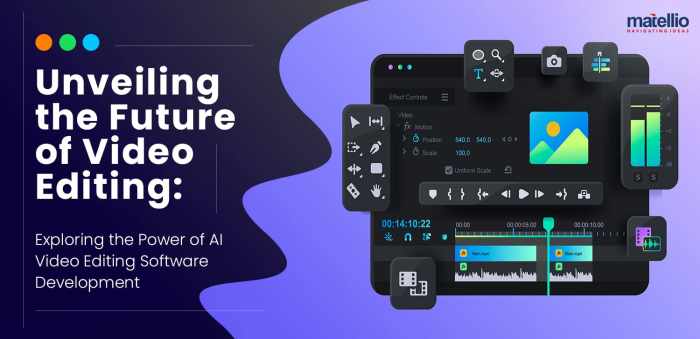
When looking for video editing software, it’s essential to understand the various categories available, which cater to different user needs and skill levels. These include professional, semi-professional, and consumer-grade options, each with distinct features and capabilities.
- Professional Video Editing Software: Designed for industry professionals, these programs offer advanced features and robust performance. Examples include:
- Avid Media Composer: Known for its powerful editing tools and collaborative features, often used in film and television.
- Adobe Premiere Pro: A versatile platform widely used by professionals, offering integration with other Adobe products and extensive plugin support.
- Final Cut Pro: Apple’s flagship software known for its user-friendly interface and powerful editing capabilities, especially popular among Mac users.
- Semi-Professional Video Editing Software: These options bridge the gap between novice and expert, providing advanced features without overwhelming complexity. Examples include:
- DaVinci Resolve: Offers high-level color grading and visual effects alongside editing tools, appealing to both amateurs and professionals.
- Camtasia: Focuses on screen recording and basic editing, making it suitable for educators and marketers.
- Adobe Premiere Elements: A simplified version of Premiere Pro that retains essential editing features while being more accessible for beginners.
- Consumer-Grade Video Editing Software: Ideal for casual users and those new to video editing, these options provide basic tools for creating personal projects. Examples include:
- iMovie: A free option for Mac users, offering straightforward editing features and templates for quick project creation.
- Windows Movie Maker: Although discontinued, it was a popular choice for basic editing tasks.
- Filmora: User-friendly software with drag-and-drop capabilities, making it easy for anyone to start editing videos.
The distinction between these software types lies in their feature sets, intended audience, and learning curves. Professional software tends to offer the most robust capabilities, including advanced audio editing, multi-camera editing, and extensive support for various file formats. Semi-professional software often strikes a balance between user-friendliness and powerful tools, appealing to those who want more than basic editing without the complexity of professional software.
Consumer-grade options focus on simplicity and ease of use, ensuring that even beginners can create polished videos without prior experience.
The Role of User Interface Design in Video Editing Software
User interface (UI) design plays a crucial role in the effectiveness and efficiency of video editing software. A well-designed UI can significantly enhance user experience, facilitating smoother workflows and reducing the learning curve. Intuitive layouts, clear labeling, and accessible menus help users navigate complex tasks without feeling overwhelmed. Key elements of UI design that benefit video editors include customizable workspaces, drag-and-drop functionality, and visual indicators that enhance workflow.Best practices for UI design in video editing applications focus on clarity and functionality.
For instance, providing keyboard shortcuts for frequently used commands can save time and streamline the editing process. Additionally, organizing tools by categories ensures that users can find what they need quickly. Visual elements such as color coding can also help differentiate between different types of media and functions, making it easier for users to manage their projects.User feedback is instrumental in shaping UI improvements over time.
Developers often rely on insights from beta testing and user surveys to identify pain points and necessary enhancements. For example, if users consistently report difficulty in locating specific tools, designers may revise the layout or adjust the categorization of features. This iterative process helps ensure that software remains relevant and user-friendly, accommodating the evolving needs of content creators. As software continues to develop, the integration of user suggestions will remain vital in refining UI design, ultimately leading to more efficient editing experiences.
Essential Features to Look for in Video Editing Software
When choosing video editing software, certain features are pivotal for effective editing. These features not only enhance the editing process but also empower creators to produce high-quality content. Key features to consider include:
- Multi-track Editing: Enables users to work with multiple video and audio tracks, facilitating complex projects that require layering.
- Color Correction Tools: Essential for achieving the desired look and feel of a project, allowing users to adjust color balance, saturation, and contrast.
- Audio Editing Capabilities: A good software should provide tools for audio mixing, noise reduction, and syncing audio with video tracks.
- Export Options: The ability to export in various formats and resolutions is crucial for ensuring compatibility with different platforms and devices.
- Effects and Transitions: A library of effects and transitions can enhance visual storytelling, adding polish to videos.
To better illustrate the distinction between must-have and advanced features, here’s a comparison table:
| Feature | Must-Have | Advanced |
|---|---|---|
| Multi-track Editing | Yes | No |
| Color Correction Tools | Yes | Yes |
| Audio Editing Capabilities | Yes | Yes |
| Export Options | Yes | Yes |
| Effects and Transitions | Yes | Yes |
| 3D Editing | No | Yes |
| Motion Tracking | No | Yes |
| Collaboration Tools | No | Yes |
These features are essential in elevating the editing process. Multi-track editing allows for creativity and complexity, enabling editors to weave together various elements seamlessly. Color correction tools ensure that the final product is visually appealing, while audio editing capabilities allow for a polished sound that complements the visuals. Export options guarantee that the content can be shared across multiple platforms without loss of quality.
As projects become more sophisticated, advanced features like motion tracking and 3D editing can elevate the storytelling potential, catering to those looking to push the boundaries of their creativity.
The Impact of Cloud Technology on Video Editing Software
Cloud technology has dramatically transformed the landscape of video editing, introducing new capabilities that enhance collaboration and resource accessibility. With cloud-based video editing solutions, multiple users can work on a project simultaneously, regardless of their physical location. This fosters a collaborative environment, especially beneficial for teams working on large-scale productions or remote projects. Leading video editing software that utilizes cloud capabilities includes Adobe Premiere Pro with Creative Cloud, allowing users to store projects and assets in the cloud for easy sharing and access.
Another example is DaVinci Resolve, which offers collaborative editing features, enabling real-time feedback and updates among team members.The advantages of cloud-based video editing solutions are substantial. They provide flexibility, as users can edit and review projects from any device with internet access. This accessibility also means that storage limitations are less of a concern, as projects can be stored in the cloud rather than on local devices.
Additionally, cloud editing platforms often receive regular updates, ensuring users have access to the latest features and tools without needing to purchase new software versions.However, potential downsides exist as well. Cloud-based editing requires a reliable internet connection, and slow speeds can hinder the editing process. Security concerns also arise, as sensitive footage and projects are stored online. Users must trust that their chosen platform has robust security measures in place to protect their work from unauthorized access.In conclusion, while cloud technology has introduced several benefits to video editing software, users must weigh the convenience of cloud capabilities against potential risks.
As technology continues to evolve, balancing these factors will be crucial for creators looking to leverage cloud-based solutions for their projects.
Understanding the Importance of Video Editing Software for Content Creators
Video editing software is essential for content creators across various platforms, including social media, YouTube, and independent filmmaking. These tools allow creators to refine raw footage into polished final products, significantly impacting audience engagement and retention. In an era where visual content dominates digital communication, the quality of video editing can make or break a creator’s success.Successful content creators often leverage video editing software to enhance their storytelling.
For instance, popular YouTubers like Casey Neistat use advanced editing techniques to craft compelling narratives that resonate with viewers. By integrating dynamic transitions, sound effects, and visual effects, they create engaging content that keeps audiences coming back for more. The impact of editing quality on audience retention is profound. Well-edited videos tend to hold viewers’ attention longer, leading to higher engagement rates, shares, and subscriptions.
High-quality editing also reflects professionalism, fostering trust and credibility among audiences. Conversely, poorly edited videos can detract from the message and lead to viewer drop-off, underscoring the importance of investing in reliable video editing software.In summary, the significance of video editing software for content creators cannot be overstated. It is a fundamental tool that enables them to transform their ideas into engaging visual narratives, ultimately affecting how their content is received and perceived by audiences.
Future Trends in Video Editing Software Development
The future of video editing software development is poised for exciting advancements, driven by emerging trends and technologies. One of the most significant developments on the horizon is the integration of artificial intelligence (AI) and machine learning into editing processes. These technologies promise to revolutionize how content is created, streamlining workflows and enhancing creativity.AI can play a crucial role in automating repetitive tasks, such as sorting through footage and identifying the best clips based on predefined criteria.
For instance, imagine a software that automatically analyzes a video to suggest optimal edits, transitions, or even background music based on the content’s mood. This would allow editors to focus more on the creative aspects of their work rather than spending time on mundane tasks.Additionally, advancements in cloud-based editing solutions are expected to continue, making collaborative editing even more accessible.
As internet speeds improve and cloud storage becomes more reliable, teams can work together seamlessly, regardless of their geographical locations. This shift will enable filmmakers and content creators to collaborate more effectively, merging talents and ideas to produce innovative projects.Another trend is the rise of augmented reality (AR) and virtual reality (VR) in video content. As these technologies become more mainstream, video editing software will need to adapt to accommodate 360-degree footage and interactive elements.
Editors will require tools that allow them to create immersive experiences, pushing the boundaries of traditional storytelling.Moreover, as the demand for content continues to grow, software developers will likely focus on creating user-friendly interfaces that cater to both beginners and experienced editors. This includes simplified workflows, customizable settings, and enhanced tutorials to assist users in navigating complex features.In summary, the future of video editing software is set to be shaped by innovations in AI, cloud technology, AR, and user experience design.
As these advancements unfold, they will redefine the editing landscape, empowering content creators to produce high-quality, engaging videos with greater ease and efficiency. The possibilities are endless, and the next few years promise to be transformative for the world of video editing.
End of Discussion: Video Editing Software
In conclusion, the world of Video Editing Software presents endless opportunities for creators to refine their craft and engage viewers like never before. As we continue to witness technological advancements, such as cloud-based solutions and AI integration, the future of video editing looks promising. Embracing these tools not only enhances the editing process but also empowers creators to tell compelling stories that resonate with audiences worldwide.
Unlock your full creative potential with the right video editing software and make your mark in the digital realm.
Remember to click Farm Land Property to understand more comprehensive aspects of the Farm Land Property topic.
Understand how the union of Hardware Tools can improve efficiency and productivity.
When investigating detailed guidance, check out Student Housing now.